- Page d'accueil /
- Livres /
- Ordinateurs et technologie /
- Programming /
- Microsoft Programming /
- VBA /
- Mastering Excel VBA Programming: A Hands-On G...
0 ratings




Numéro d'article:
117098142
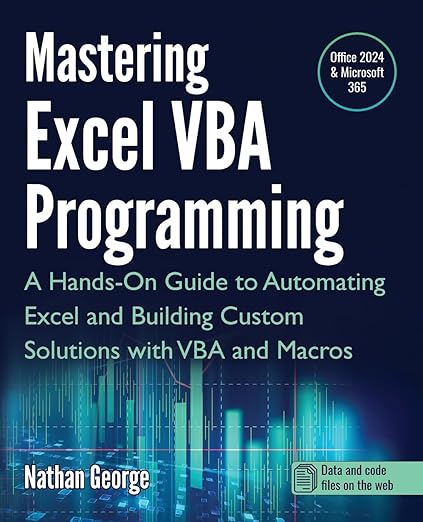
Mastering Excel VBA Programming: A Hands-On Guide to Automating Excel and Building Custom Solutions with VBA and Macros
85% des répondants recommanderaient ceci à un ami
Numéro d'article:
117098142
XOF 28480
Détails du prix
Hors frais de livraison et de douane ( Les frais de livraison et de douane seront calculés lors du paiement )
*Tous les articles seront importés depuis États-Unis
En stock
 Importé depuis la boutique USA
Commandez maintenant et recevez votre commande aux alentours du Mardi, Septembre 22
Transaction sécurisée
Ubuy s'engage à protéger votre sécurité et votre confidentialité. Notre système avancé de sécurité des paiements garantit la confidentialité en chiffrant vos informations lors de la transmission grâce aux protocoles AES (Advanced Encryption Standards) et SSL (Secure Socket Layer). Vos coordonnées de paiement sont 100 % sécurisées car nous ne partageons pas vos informations de paiement avec des vendeurs tiers.
Nos meilleurs partenaires logistiques


This book will teach you how to use the power of VBA to create sophisticated Excel solutions in a step-by-step approach.

Livraison
rapide

Retour
gratuit*

Emballage sécurisé

Produits 100 % originaux

Conformité PCI DSS

Certifié ISO 27001



Note: Step Down Voltage Transformer required for using electronics products of États-Unis store (110-120). Recommended power converters Acheter maintenant.


Ce qui se démarque
Practical Application
Offers hands-on projects that enable users to immediately apply learned VBA concepts to real-world scenarios, enhancing both understanding and retention of material.
Comprehensive Coverage
Covers everything from basic to advanced VBA techniques, providing a thorough resource that caters to both beginners and experienced users seeking to deepen their Excel automation skills.
Custom Solutions
Guides users in creating tailored Excel solutions, empowering them to save time and improve efficiency by automating repetitive tasks seamlessly with VBA and macros.
Détails du produit
- Leverage the full power of Excel automation!This guide will provide you with all the information you need to automate any task in Excel and save time and effort. Learn how to extend Excel's functionality with VBA to create solutions not possible with the standard features.Mastering Excel VBA Programming takes you step-by-step from beginner to expert in Excel VBA. This book starts with the basics, so you don't need prior programming experience to begin creating powerful solutions for your data with Excel VBA today. If you already have some experience with this popular application, this book will enhance your knowledge and experience.Practical examples for hands-on learningMastering Excel VBA Programming is a practical guide, and it comes with several practice labs and downloadable solution files that enable you to follow the examples in the book hands-on. Screenshots illustrate the concepts, features, and tasks covered.This book covers Excel 2024 and the latest version of Excel for Microsoft 365 (2025 update).With this book, you will:Quickly use Excel macros to automate repetitive tasks.Master Excel VBA essentials like variables, arrays, decision structures, and looping constructs.Use debugging tools to eliminate even the most difficult-to-find errors.Learn efficient techniques for handling unexpected errors and providing users with clear custom messages.Understand the Excel objects hierarchy and how to access and use Excel objects in code to perform actions.Programmatically create and manipulate workbooks and worksheets, including working with their Event procedures.Use the Range object to access worksheet cells and ranges to work with data and worksheet formulas.Create sophisticated custom dialog boxes and data entry forms with UserForms.Access and use external data from Microsoft Access and SQL Server with ActiveX Data Objects (ADO).Programmatically generate charts and pivot tables for visualizations and summarizing large sets of data for presentations and analysis.Create User-Defined Functions (UDFs) for custom calculations.Convert your VBA application to an Excel Add-in to deploy to users.Scroll up, click the Buy Now button on the top right-hand side of the page, and get started today!
| Publisher | GTech Publishing |
| Publication date | February 4, 2025 |
| Language | English |
| Print length | 505 pages |
| ISBN-10 | 1915476143 |
| ISBN-13 | 978-1915476142 |
| Item Weight | 1.9 pounds (860 grams) |
| Dimensions | 7.5 x 1.14 x 9.25 inches (19.1 x 2.9 x 23.5 cm) |
À qui est-ce destiné ?

-
Aspiring Programmers
Perfect for individuals looking to enhance their programming skills specifically in Excel using VBA and Macros.
-
Business Analysts
Ideal for analysts who need to automate repetitive tasks in Excel to improve efficiency and accuracy.
-
Excel Power Users
Beneficial for advanced Excel users wanting to customize solutions and streamline their workflows using VBA.

-
Beginners in Excel
Not suitable for users without basic Excel skills, as VBA requires foundational knowledge of Excel functionalities.
DESCRIPTION DU PRODUIT
Vous avez une question ? Chattez avec nous
Questions et réponses des clients
-
question:
What is Excel VBA Programming and why is it important?
répondre: Excel VBA Programming involves using Visual Basic for Applications to automate tasks and create custom functionalities within Excel. It is essential for users who want to enhance their productivity by streamlining repetitive tasks, creating advanced data analysis tools, and developing customized applications tailored to their specific needs. Mastering VBA can significantly boost efficiency, allowing for complex data manipulation and user-specific automations. -
question:
Who should consider learning VBA for Excel?
répondre: Anyone who regularly uses Excel and wants to maximize its capabilities should consider learning VBA. This includes data analysts, financial professionals, project managers, and even casual users looking to automate their workflows. Learning VBA can transform how you interact with Excel, making processes more efficient and user-friendly. For example, a project manager can automate reporting processes, saving hours of manual work. -
question:
Can beginners learn VBA programming effectively through this guide?
répondre: Yes, 'Mastering Excel VBA Programming' is designed for both beginners and those with some programming knowledge. It includes hands-on exercises and practical examples that gradually build your skills. Beginners can start with basic concepts and progressively tackle more complex projects, making it accessible for anyone determined to enhance their Excel proficiency and automate processes. -
question:
What specific topics are covered in this guide?
répondre: The guide covers a variety of topics essential for mastering VBA, including the fundamentals of programming, automating repetitive tasks, building custom functions, and creating user forms. It also dives into advanced techniques such as error handling and debugging. Each section is complemented with examples and exercises, ensuring a practical understanding that can be applied to real-world scenarios in Excel. -
question:
How can VBA enhance my Excel data analysis?
répondre: VBA can significantly improve your data analysis capabilities by allowing you to automate calculations, create custom analytical tools, and visualize data more effectively. By scripting repetitive tasks, you can focus on interpreting results and making decisions rather than spending time on manual inputs. For instance, a financial analyst can automate report generation, ensuring data is always up-to-date without manual intervention. -
question:
Are there any prerequisites for learning VBA?
répondre: While there are no stringent prerequisites, a basic understanding of Excel and its functionalities is beneficial. Familiarity with concepts such as formulas, functions, and Excel’s interface will help you grasp VBA concepts more quickly. Having practical experience in Excel will make it easier to understand how VBA can complement your existing skills, enriching your overall proficiency. -
question:
What are some practical applications of VBA in the workplace?
répondre: VBA has numerous practical applications in various sectors. For instance, it can be used to automate report generation, create interactive dashboards, or set up data input forms for employee use. In finance, analysts can use VBA to automate spreadsheet calculations, while marketers might use it for managing and analyzing customer data, ultimately saving time and reducing errors in data entry. -
question:
How does this guide help in building custom solutions?
répondre: This guide provides step-by-step instructions and practical examples to help users design and implement custom solutions in Excel. By learning VBA, users can tailor functionalities to meet specific requirements, such as developing unique data-processing scripts or creating customized user interfaces. It empowers users to think creatively about how to apply Excel to resolve specific challenges in their work environments. -
question:
Is it possible to discover new features in Excel through VBA?
répondre: Absolutely! Learning VBA opens up a whole new realm of possibilities in Excel that goes beyond built-in functionalities. By understanding how to program within Excel, you can harness advanced features like creating dynamic charts, automating data sorting, and enhancing user interactivity. This leads to discovering innovative ways to present and analyze data, ultimately improving your results and presentations. -
question:
Where can I buy Mastering Excel VBA Programming in Senegal?
répondre: You can purchase 'Mastering Excel VBA Programming: A Hands-On Guide to Automating Excel and Building Custom Solutions with VBA and Macros' from Ubuy. Ubuy offers a convenient platform to explore and acquire this guide, ensuring a user-friendly shopping experience tailored to your location in Senegal.
VBA Editorial Review
Aucune critique éditoriale trouvée
Avis et évaluations clients
28 évaluations des clients
-
5 étoile
74%
-
4 étoile
14%
-
3 étoile
6%
-
2 étoile
0%
-
1 étoile
6%
Donnez votre avis sur ce produit
Partagez votre avis avec d'autres clients
CONFIANCE EN LA PLATEFORME & PROTECTION DE L'ACHETEUR

JK
Jasmin
Acheteur vérifié
“Great products and very good service: very easy and very fast international delivery.”
9 September 2026 · via Trustpilot
AG
Anke
Acheteur vérifié
“Wonderful online shopping experience, smooth transaction from the start. Payment method works conveniently and delivery is unexpectedly fast and reliable. You go the extra mile for service. What makes this even more amazing, you deliver to Namibia. I will remain a happy Ubuy customer and will increase my purchases for sure! Thank you!”
10 September 2026 · via Trustpilot
H
Hazel
Acheteur vérifié
“Very easy to find the products what you need, and so fast delivery, that’s why I highly recommended to others costumers to used ubuy.”
10 September 2026 · via Trustpilot
O
Opaleye
Acheteur vérifié
“I received exactly what I ordered I was skeptical about your site because that was my first time to order. But the order came timely and neatly packaged. I was not disappointed. Thank you.”
11 September 2026 · via Trustpilot
AC
Adele
Acheteur vérifié
“Easy to find and order what you want on the website. Delivery is quick to the UK”
8 September 2026 · via Trustpilot
Paiement sécurisé
Global Delivery
Retours faciles
Genuine Products
Historique des prix du produit
Informations importantes
- Limitations : Pour les produits expédiés à l'international, veuillez noter que toute garantie du fabricant peut ne pas être valide ; les options de service du fabricant peuvent ne pas être disponibles ; les manuels, instructions et avertissements de sécurité des produits peuvent ne pas être dans les langues du pays de destination ; les produits (et les matériaux qui les accompagnent) peuvent ne pas être conçus conformément aux normes, spécifications et exigences d'étiquetage du pays de destination ; et les produits peuvent ne pas être conformes à la tension et aux autres normes électriques du pays de destination (nécessitant l'utilisation d'un adaptateur ou d'un convertisseur le cas échéant). Il incombe au destinataire de s'assurer que le produit peut être importé légalement dans le pays de destination. En cas de commande auprès d'Ubuy ou de ses filiales, le destinataire est l'importateur officiel et doit se conformer à toutes les lois et réglementations du pays de destination.
- Tous les produits listés sur Ubuy ne sont pas à vendre, Ubuy étant un moteur de recherche mondial. Les produits sont soumis aux réglementations en matière d'exportation et de commerce.
XOF 28480
Commandez maintenant et recevez votre commande aux alentours du Mardi, Septembre 22
This item is not restrict in my country.(Please click on above link if this item is not restrict in your country, So our team will review and allow.)
QTY:
Transaction sécurisée
Conforme PCI DSS et certifié ISO 27001:2022, avec des paiements chiffrés et une protection complète de l'acheteur pour chaque commande.
Nos meilleurs partenaires logistiques
Livraison transfrontalière la plus rapide
Caractéristiques et avantages
- Master Excel with VBA and Macros, no programming experience required.
- Create faster, more effective spreadsheet solutions for your job or business.
- Learn real-world examples and practical applications for immediate use.
- Enhance career opportunities across various industries like finance and IT.
- Quickly automate repetitive tasks to save time and increase efficiency.
- Develop custom functions for complex calculations not possible with built-in features.
Assurance Ubuy
Profitez d'une expérience d'achat sereine avec des produits 100 % originaux, une sécurité de paiement conforme PCI DSS, une protection des données certifiée ISO 27001, la livraison transfrontalière la plus rapide, les retours gratuits* et un emballage sécurisé pour chaque commande.